One of the biggest myths about cutting the cord in the UK is that it is complicated. It is not. Whether you are using an Amazon Firestick, a Samsung Smart TV, an Android phone, or an iPhone, getting live TV streaming set up takes less than 10 minutes — and no technical knowledge is required.
This guide walks you through every device, step by step.
What Devices Can You Use?
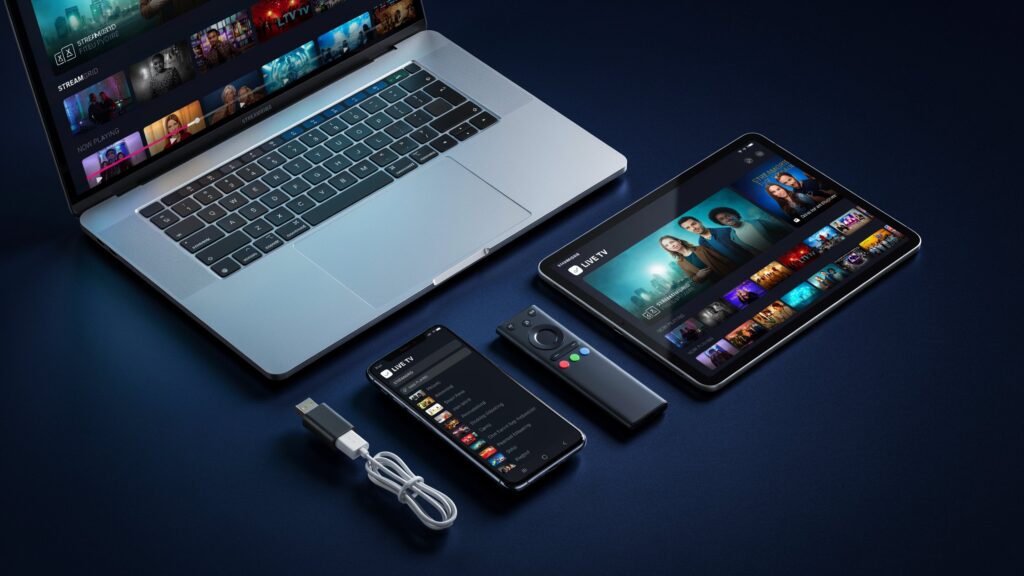
The great advantage of online streaming over a traditional Sky subscription is that it works on virtually every screen you already own:
- Amazon Firestick / Fire TV Stick
- Smart TVs — Samsung, LG, Sony, Hisense
- Android phones and tablets
- iPhone and iPad
- Laptops and desktop PCs
- Android TV boxes and MAG devices
→ View all EliteStream.uk UK packages at elitestream.uk
Before You Start: What You Need
- A broadband connection — 10 Mbps minimum, 25 Mbps+ recommended for HD/4K
- A streaming subscription from a provider like EliteStream.uk — your login credentials arrive by email within minutes
- A compatible app — IPTV Smarters Pro, TiviMate, or XC IPTV Player are the most popular in the UK
→ View all EliteStream.uk UK packages at elitestream.uk
Step-by-Step Setup Guide
Step 1 — Subscribe & Receive Your Credentials
Visit elitestream.uk and choose your plan. After purchase, your login details (username, password, and server URL) arrive in your inbox within 5 minutes.
Step 2 — Download Your Streaming App
Choose the right app for your device. The most reliable options for UK users are IPTV Smarters Pro and TiviMate (Android/Firestick), or GSE Smart IPTV (iOS). All are free to download.
Step 3 — Enter Your Login Details
Open the app and select ‘Add Playlist’ or ‘Login with Xtream Codes’. Enter the server URL, username, and password from your welcome email. The app will load your full channel list automatically.
Step 4 — Browse & Watch
Your channels will be organised by category — UK, Sports, Movies, Kids, International, and more. Find your favourite channels and start watching.
→ View all EliteStream.uk UK packages at elitestream.uk
Device-Specific Instructions
Amazon Firestick
The Firestick is the most popular streaming device in the UK. Go to Settings → My Fire TV → Developer Options and enable ‘Apps from Unknown Sources’. Then download the Downloader app, use it to install IPTV Smarters Pro, and enter your EliteStream.uk credentials. Full setup takes under 8 minutes.
Samsung / LG / Sony Smart TV
Most modern Smart TVs support streaming apps directly from their app store. Search for IPTV Smarters or Smart IPTV in your TV’s app store. If not available, the easiest workaround is to plug an Amazon Firestick into your TV’s HDMI port.
Android Phone or Tablet
Go to the Google Play Store, search for IPTV Smarters Pro or TiviMate, and install. Open the app, add your playlist using the credentials from your EliteStream.uk welcome email, and you are live.
iPhone or iPad
Open the App Store and download GSE Smart IPTV or IPTV Smarters. Add your Xtream Codes login, and your full channel list will load within seconds.
→ View all EliteStream.uk UK packages at elitestream.uk
Laptop or PC
No app download required. Download VLC Media Player (free) and open your M3U playlist URL directly, or use your provider’s web player in your browser.
| ✅ Pro tip: If you are ever stuck during setup, EliteStream.uk offers live WhatsApp support 7 days a week to walk you through the process on any device. |
Recommended Internet Speed for the Best Experience
- SD (Standard Definition): 5 Mbps minimum
- HD (1080p): 10 Mbps recommended
- 4K streaming: 25 Mbps recommended
- 8K streaming: 50 Mbps+ recommended
Most UK fibre broadband connections comfortably support 4K streaming on multiple devices simultaneously.
→ View all EliteStream.uk UK packages at elitestream.uk
What If Something Does Not Work?
- Restart your streaming app and try again
- Switch to a different stream if your app offers one — many channels have backup servers
- Restart your router to refresh your connection
- Contact your provider’s support team — a good provider will resolve it same day
Final Thoughts
Setting up live TV streaming on any device in the UK has never been easier. Subscribe, install the app, enter your credentials, and watch. No engineer visits, no satellite dish, no 18-month contracts.
→ Get started today at elitestream.uk